What Is Google Ads?
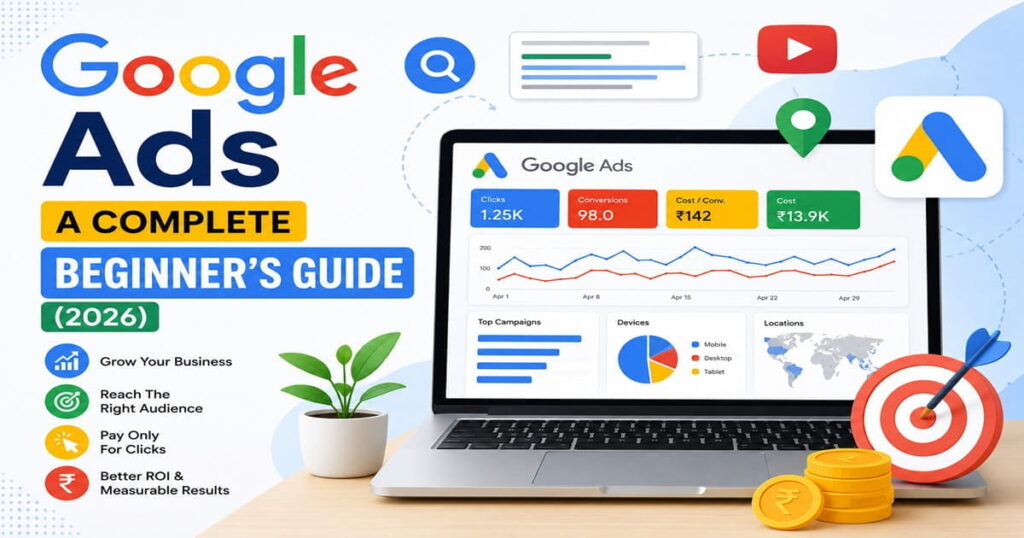
Google Ads is an online advertising service offered by Google, which enables the promotion of your business on Google Search, YouTube, Google Maps, Gmail, and millions of other websites in the network. This service will enable you to connect with your potential customers while they are browsing for products and services online.
The service operates using the Pay Per Click (PPC) method, where you only have to pay if the users click on your ad. Google Ads is the most popular digital marketing tool as it provides quick and measurable results.
If you are running any kind of online business, from a small business owner, blog writer, freelancer to an eCommerce seller, you can use Google Ads.
Why Is Google Ads Important?
Google makes billions of searches daily, thus making it one of the ideal places where your target audience can be reached. With Google Ads, you will get to appear at the top of search results almost instantly without having to wait until your site ranks organically.
Some of its benefits include:
- Immediate visibility on Google
- Targeted advertising
- Faster lead generation
- Flexibility in advertising budget
- Measurement of performance of campaigns
- Brand awareness
Google Ads is used in conjunction with SEO by most companies for their growth.
How Does Google Ads Function?
The steps followed by Google Ads are very easy to follow.
- Create a Google Ads Account.
- Set the goal of the campaign.
- Pick the type of campaign.
- Conduct research on the keywords.
- Write the ad.
- Set the daily budget.
- Start the campaign.
- Optimize the campaign.
Whenever people search using the keywords chosen by you, Google determines whether your ad will be shown or not depending upon your bid, ad quality, and relevancy.
Types of Google Ads Campaigns
Search Campaigns
Search campaigns are those which show text ads on Google Search page when people search for particular keywords. They are used to generate leads, sales, and web traffic.
Display Campaigns
These campaigns use image ads to display on millions of websites which are part of the Google Display Network. These can help you get brand recognition.
Shopping Campaigns
In shopping campaigns, the image of your products is displayed along with price, rating, and the store name on Google Search Results.
Video Campaigns
Video campaigns enable companies to market on YouTube either prior to, during, or after the videos are watched. This helps raise brand awareness and engagement with customers.
Performance Max Campaigns
Performance Max campaigns leverage the power of Google’s AI to serve ads on all Google platforms with just one campaign. They aid in maximizing conversions and audience reach.
App Campaigns
App campaigns promote mobile apps and entice users to install and engage with them.
Benefits of Google Ads
Instant Website Traffic
In contrast to SEO, Google Ads will begin driving traffic to your website immediately once your campaign is set up.
Targeting Customers
One is able to target people according to:
- Key Words
- Location
- Language
- Device
- Age
- Interests
- Time of Day
- Budget Flexibility
Google Ads allows users to determine their own daily budget. This means that one can start, lower or end any campaigns as they see fit.
Trackable Successes
One will be able to track clicks, impressions, conversion, click through rate (CTR) and return on investment (ROI).
Improved Brand Awareness
Seeing one’s brand even when customers do not click on an ad is capable of improving one’s awareness and trust.
Conversion Opportunities
Users of Google Ads are those that have already been looking for a product or service.
Creating a Google Ad Campaign
Creating a Google Ad Account
Log in using your Google login and set up a new advertising account.
Setting Up Goals for Your Campaign
Pick your goals from generating website traffic, sales, leads, brand awareness, or app promotion.
Choosing Your Campaign Type
Pick the type of campaign you want to use among Search, Display, Shopping, Video, Performance Max, or App Campaigns depending on your business needs.
Keyword Research
Pick keywords that your clients will be searching for. Keywords that have long tails usually offer higher conversion rates at less competitive prices.
Writing Compelling Ads
Craft compelling ad copy that includes headlines, captivating descriptions, and powerful calls to actions that will attract clicks.
Choosing Your Budget
Begin with a budget that fits your budget easily. As you gather data, adjust your budget accordingly.
Running and Monitoring Your Campaign
Common Errors With Google Ads
Using Broad Keywords
Broad keywords tend to bring in irrelevant users and incur more costs on the advertisements.
Failure to Use Negative Keywords
Using negative keywords ensures that your ads do not appear in irrelevant searches.
Directing Visitors to Bad Landing Pages
Bad landing pages can result in decreased conversions despite receiving many clicks on your advertisement.
Not Measuring Conversion Rate
If you do not track your conversion rate, then you will not be able to tell how effective each ad is.
Stopping a Successful Campaign Prematurely
Campaigns have to undergo testing and optimization before conclusions can be made.
Effective Tips for Making Your Google Ads Work
- Using high-intent keywords.
- Creating engaging ads.
- Using relevant landing pages.
- Adding negative keywords consistently.
- Testing different ad versions.
- Improving your quality score.
- Monitoring the performance of the campaigns.
- Optimizing the budget used.
Adhering to these tips may result in better campaign performance and decreased advertising costs.
Conclusion
Google Ads is among the best online advertising platforms that exist today. It assists companies in reaching their target audience at the right moment, getting good traffic, and converting it through very effective advertising.
Regardless of whether you are running a local company, an e-shop, or even a personal blog, Google Ads can bring tangible results if used in the right way. Through proper keyword selection, advertisement creation, and campaign optimization, you will be able to get your money’s worth.
Frequently Asked Questions (FAQs)
What is Google Ads?
Google Ads is the advertising service provided by Google where businesses can run their ads on Google Search, YouTube, Google Maps, Gmail, and publisher sites.
Is Google Ads free?
No, Google Ads requires payments for ad placement on a per-click, impression, or conversion basis.
How much does Google Ads cost?
Cost varies depending on the business industry, keyword, competition, and the bidding approach. Small budget can be set for the initial stage and gradually increased if the campaigns yield positive results.
Is Google Ads right for beginners?
Yes, Google Ads can be used by beginners looking to drive web traffic, leads, or sales quickly without much hassle.
How long until I get results?
It does not take long for Google Ad campaigns to produce traffic. Nevertheless, several weeks of campaign optimization are required for better results.
What is Digital Marketing? Complete Beginner Guide (2026)
What Is PPC (Pay-Per-Click) Advertising? A Complete Beginner’s Guide (2026)
What Is Social Media Marketing? A Complete Beginner’s Guide (2026)
What Is Affiliate Marketing? A Complete Beginner’s Guide (2026)
What Is Email Marketing? A Beginner’s Guide to Growing Your Business